HoloWaifu Info

A quick guide for downloading HoloWaifu, claiming your 30-day key, activating it inside the app, starting voice, and fixing model direction.

Already tried the demo?

You do not need to reinstall the app. Just activate your license key inside HoloWaifu and continue from there.

How to start HoloWaifu

1

Download and launch

Download the HoloWaifu archive or installer from the download page. If you downloaded a ZIP archive, extract it to any folder on your Windows PC, open the extracted HoloWaifu folder, and run HoloWaifu.exe.

Start your free trial or activate your license key inside the app. No account is required - just extract, launch, and use HoloWaifu.
2

Claim your key after purchase

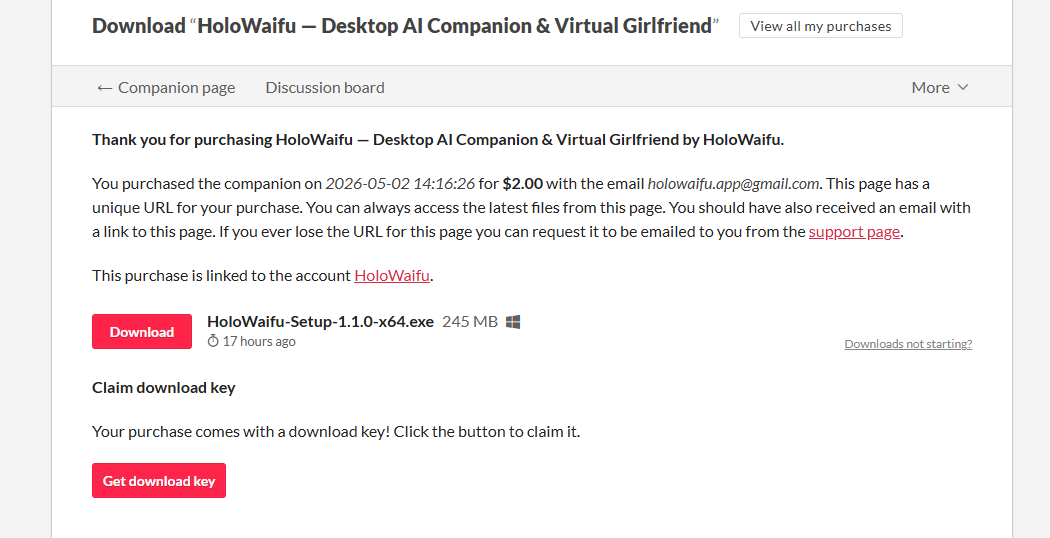
After buying the 30-day access on itch.io, open your purchase page and press Get download key. That button opens the key you need for 30-day access.

itch.io purchase page with the Get download key button
3

Activate the license inside HoloWaifu

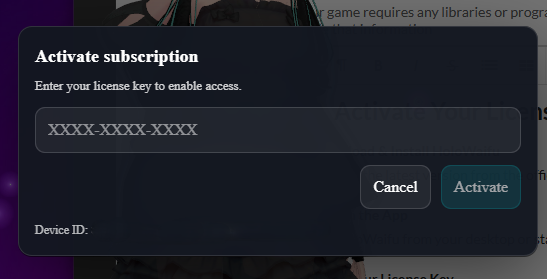
Copy your license key, open HoloWaifu, paste it into the activation field, and press Activate.

HoloWaifu activation dialog with a license key input field
4

Enable voice on first launch

If HoloWaifu does not speak after the first launch, press the speaker button in the app interface to enable voice output.

Speaker button used to enable HoloWaifu voice
5

Model facing the wrong direction?

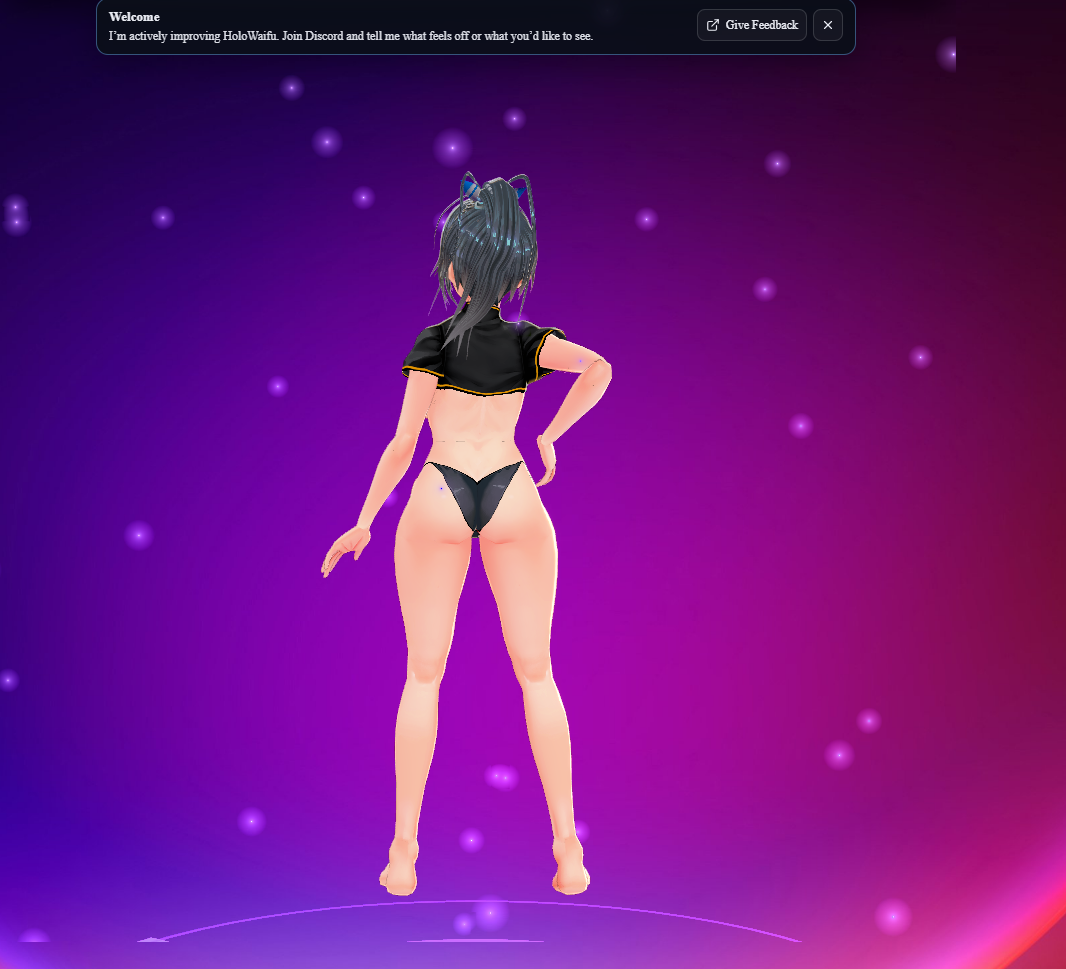
If your model loads facing away from you, like this, open the menu and press Flip model. HoloWaifu rotates the model by 180 degrees and remembers that setting.

VRM model loaded facing away from the viewer
Flip model menu button